
With the Teamtailor integration, you can automatically send AI-generated interview summaries from Dstny Conversational Intelligence to the candidate's profile in Teamtailor. Each summary is added as a Partner Result, so your team can review key insights without leaving Teamtailor.
Dstny Conversational Intelligence does not support the Teamtailor Video Service.
You cannot use DCI to record and summarize interviews held directly via Teamtailor's built-in video function. The integration works for interviews recorded using external meeting platforms (MS Teams, Google Meet, Zoom) which are then matched to the candidate.
Getting Started
Prerequisites
- Admin access in Teamtailor.
- A Teamtailor Admin API key (with read/write permissions).
- Access to Dstny Conversational Intelligence with permission to manage integrations.
You do not need a Partner API key. Dstny Conversational Intelligence handles partner authentication as a Teamtailor tech partner.
Connecting Teamtailor and Dstny Conversational Intelligence
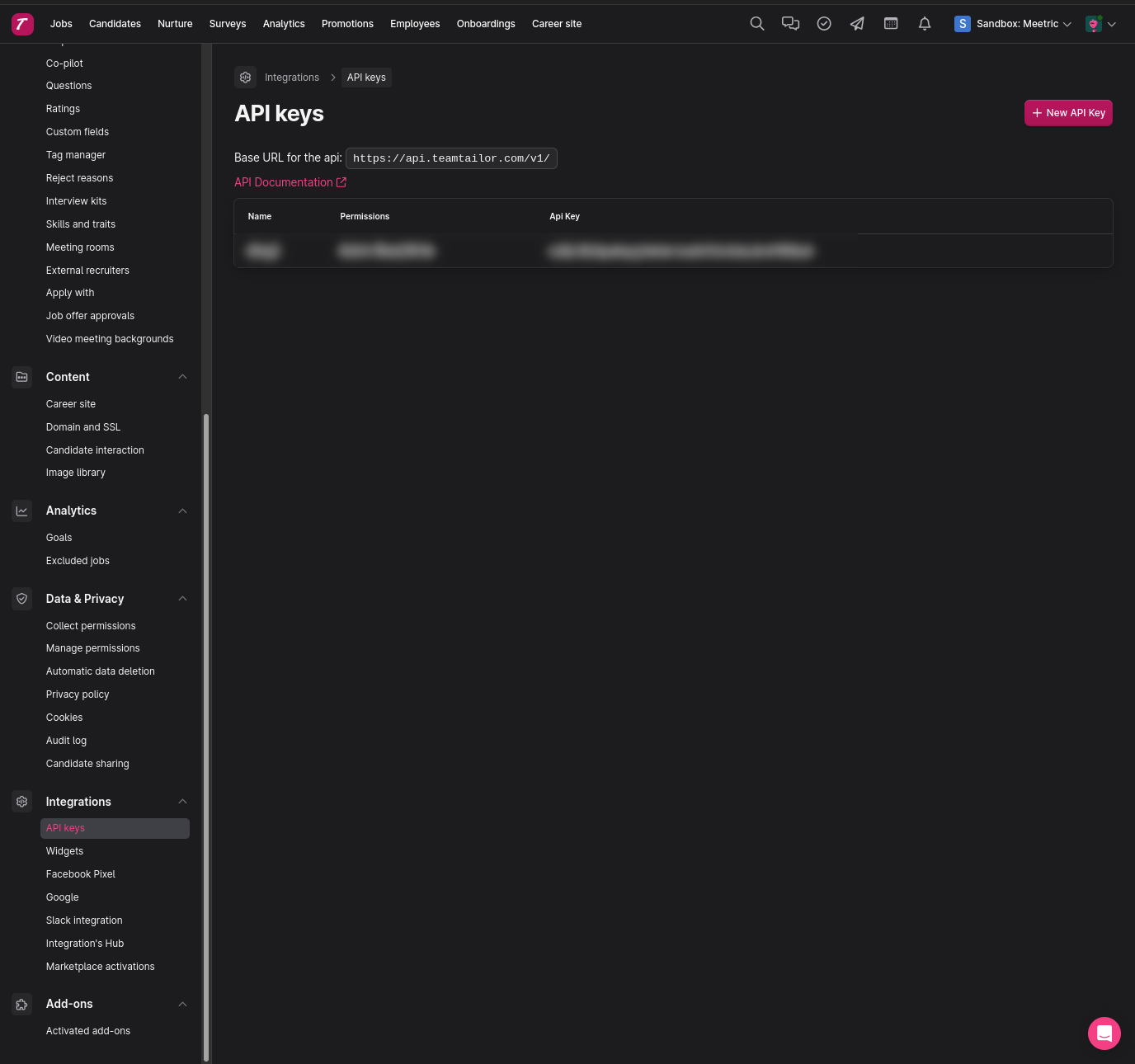
- Generate your Public API key in Teamtailor: Go to Settings > Integrations > API keys, click to create a new key and copy it. You will also find your API URL on this page. In most cases, the API URL is https://api.teamtailor.com.
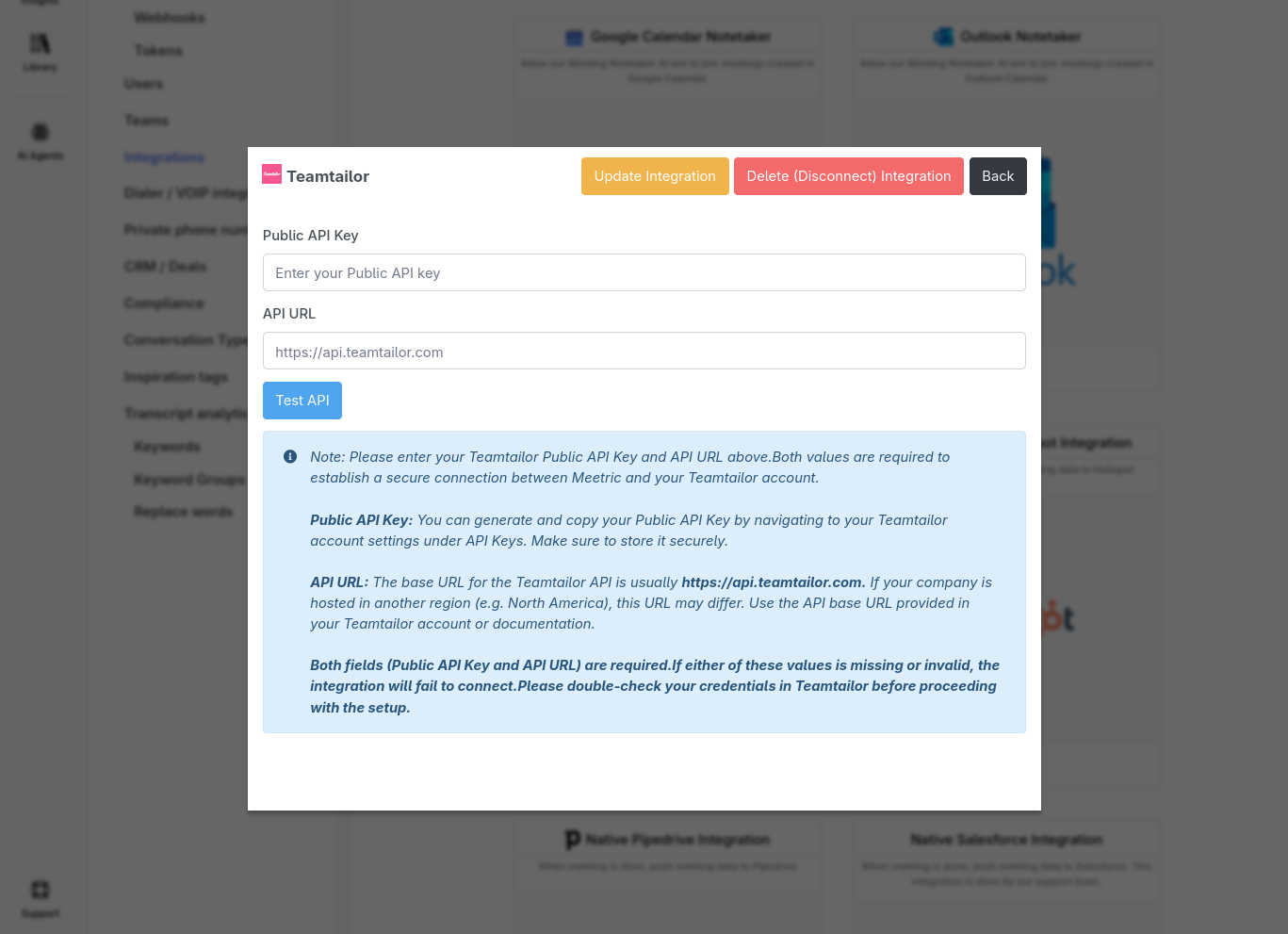
- Open DCI: In your DCI account, go to Settings > Integrations > Teamtailor.
- Paste your Public API key into the designated field.
- Click Connect.
- Test the connection: Click Test Admin API in DCI. You should see a success message.
To ensure DCI can match summaries to the correct candidate, verify that your candidates in Teamtailor have an email or phone number set.
How the Integration Works
- You run an interview as usual.
- Dstny Conversational Intelligence records the session and generates an AI summary.
- DCI matches the candidate in Teamtailor using the candidate's email or phone number.
- DCI creates a new Partner Result on the candidate's profile in Teamtailor.
The Partner Result includes the meeting summary and detailed information.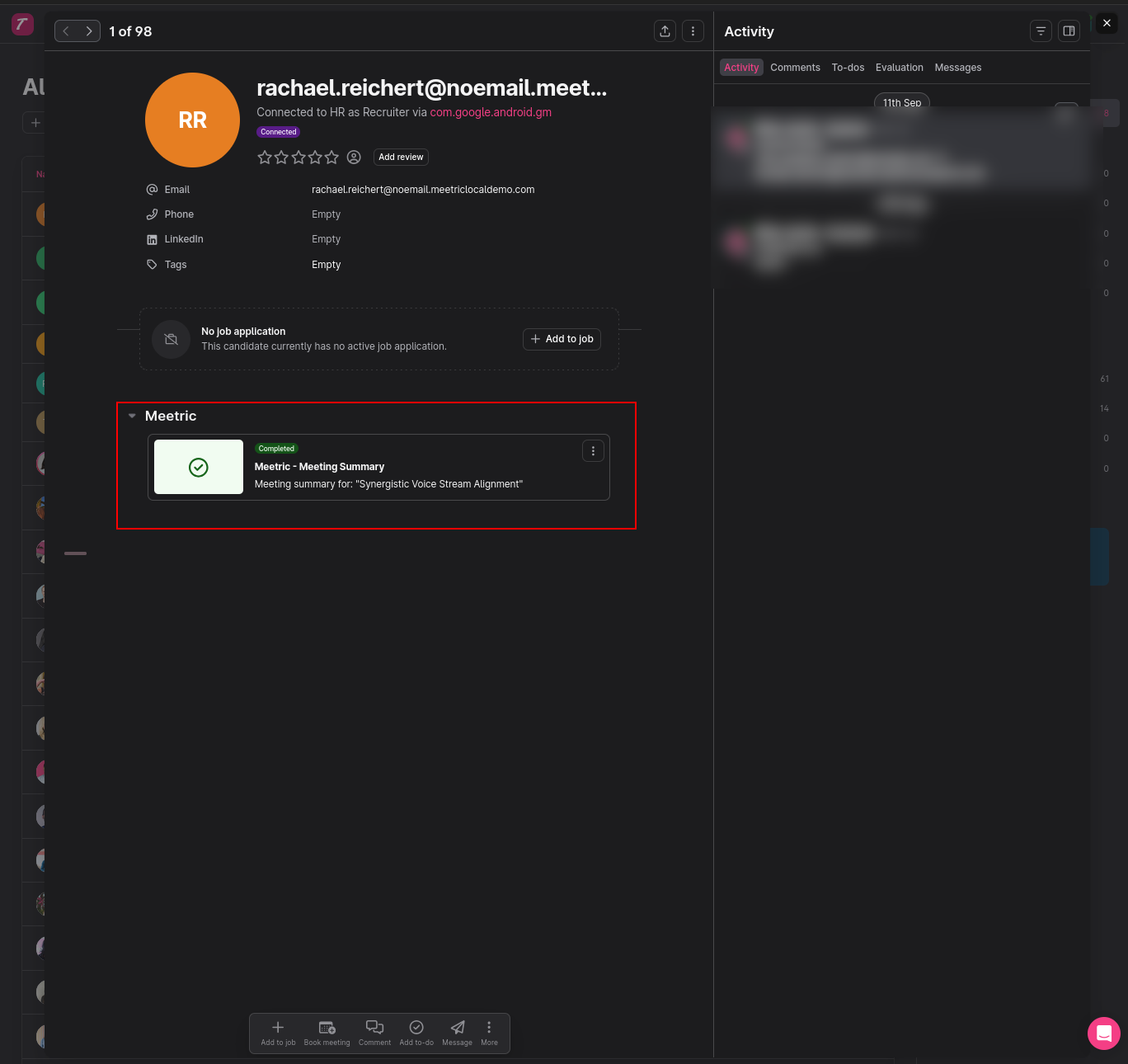
Using the Integration in Teamtailor
- After an interview, open the candidate's profile in Teamtailor.
- Find the DCI card on the right-hand side under Partner Results.
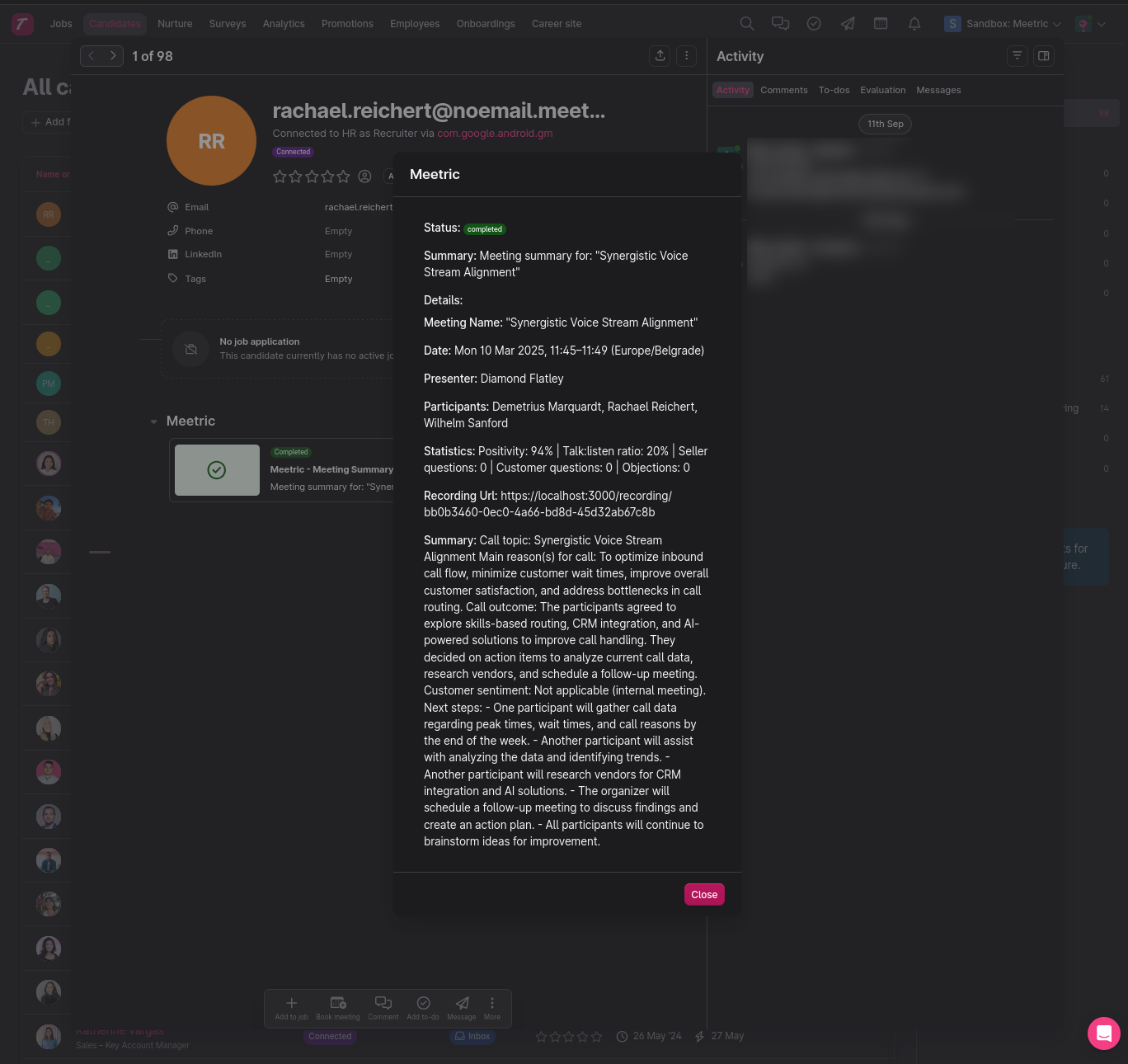
- Click to expand the card and read the Summary and Details.
- If enabled, click the Recording link to open the full recording and transcript in DCI.
Troubleshooting
No Partner Result shows up
- Check if the candidate has an email or phone number in Teamtailor.
- Verify that the Admin API key in DCI is correct.
- Confirm that the API URL is correct.
- The summary may still be processing. Refresh the candidate page after a few minutes.
Wrong candidate matched
- Ensure the candidate's email and/or phone number is unique in Teamtailor.
Permissions
- You need Teamtailor admin rights to generate an API key.
- Your DCI user must have permission to manage integrations.
Disconnecting
-
Go to DCI > Settings > Integrations > Teamtailor and click Disconnect.
-
In Teamtailor, you can also revoke the Admin API key under Settings > Integrations > API keys.
Existing Partner Results will remain on the candidate profile as historical records.
FAQ
Do I need a Partner API key?
No. Dstny Conversational Intelligence manages the partner credentials. You only need to paste your Admin API key.
What if there are multiple interviews for one candidate?
Each interview generates a separate Partner Result, creating a timeline of interview history directly on the candidate's profile.
Data Mapping
Candidate Matching:
Primary: candidate's email.
Fallback: candidate's phone number.
Partner Result Content:
Summary includes the meeting name.
Details include meeting name, date and time (in your company's timezone), location, presenter, participants, notes, statistics, and a link to the full recording and summary.
Security & Privacy
- The Teamtailor Admin API key is used only to look up candidates in your account.
- Dstny Conversational Intelligence uses partner authentication to post Partner Results.
- All requests are encrypted over HTTPS; keys are stored securely.