Banners for Hubspot (1920 x 850 px) (3)

Dstny Supervisor PRO

Stop finding out about SLA breaches from your customers.
Dstny Supervisor Pro watches every ACD queue in real time and alerts the right person the moment a threshold is crossed, by email, Teams, or Slack, so you can act before your customers notice anything went wrong.
Frustrated CS manager

The blind spot in customer support management

Sounds familiar?


No native SLA alerting

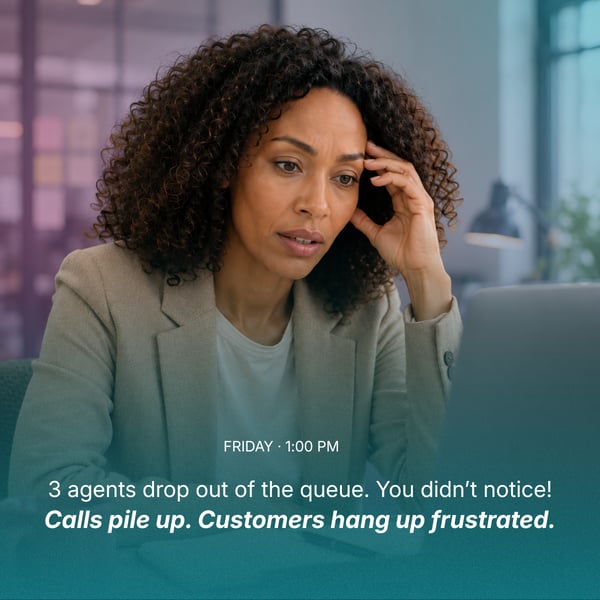
Queue health lives in the platform, but nobody is watching it in real time, so problems surface only once a customer complains.


Manual ACD login/logout, every single day

Getting the right agents onto the right queue at the right time still depends on someone remembering to do it.


Breaches discovered after the fact

By the time a supervisor hears about a problem, the call has already been dropped and the customer is already annoyed.

Everything a supervisor needs to stay ahead of the queue.

Supervisor Pro pairs a scheduler that handles agent presence with an alarm system that watches queue health, both configured once, then left to run.

Real-time SLA alarms

Untitled design - 2026-08-14T104803.339-1

Pick a condition, set a threshold, and Supervisor Pro watches the queue around the clock — sending a notification the moment it's crossed.


Which queues to watch


The condition that triggers a notification 


Who gets notified, how, and how often 


ACD-schemaläggning


Schedule

Set it up once with the groups, agents and times you want, the schedule handles logins and logouts from there. Catch-up logic covers any missed cron ticks.

Which ACD groups to target


When agents are logged in and out


Which agents the schedule applies to

Get notified in

Everything you need to stay ahead of the queue.

Real-time visibility into every queue, alerts that reach you before your customers do, and schedules that run themselves, so the only time you think about staffing is when you choose to.

SLA

SLA alarm monitoring

Configurable alarms per ACD queue. Alerts fire by SMS and to Teams or Slack the moment a threshold is breached.
Planningpng

ACD login schedule management

Pre-configure agent login and logout times on queues. Catch-up logic handles any missed cron ticks automatically.

Teams & Slack

Teams & Slack notifications

Alarm events push straight into Teams & Slack channels via a Power Automate workflow, no manual monitoring required.
Analyticssvg

Activity log

Every trigger recorded, time, alarm, queue, the condition and value at that moment, and who was notified.

From sign-in to real-time coverage.

No project, no integration work on your side. Supervisor Pro connects straight to the Dstny Voice tenant your operator already manages.
Untitled design - 2026-08-24T124010.144

Set your threshold

Choose your queues and pick the conditions that matter : staffing, calls waiting, wait time, or answer rate.
Untitled design - 2026-08-24T132213.464

Pick your recipients

Add the people and channels that should hear about it: email, Slack or Microsoft Teams, one or many.

3

Act before customers notice

The alert reaches you the instant a value is crossed, so you can respond before the queue or the complaints grow.

Try it yourself. No account required.

Click your way through a real Supervisor Pro environment — set a threshold, trigger an alarm, and see it appear in Teams, live.

Supervisor — Interactive Demo
Dstny
Supervisor Pro
🔔
Alarm fired: Support Nivå 2Available agents below threshold (2)
Workflows · just now
Critical
Alarm: Support Nivå 2
Alarm triggered for Support Nivå 2
GroupSupport Nivå 2
ConditionAvailable agents below 2
Current value1
Time14:32
📱 SMS sent to +46 70 000 00 01
💬 Slack posted to #queue-alerts
How often the notification is re-sent while the condition stays true. Stops automatically when the alarm clears.
Deliver alarms to Slack or Microsoft Teams via webhook URL. Create a Slack Incoming Webhook or a Teams Workflow webhook and paste the URL here.
Only send notifications during the selected hours (customer timezone). Leave all days off to alert around the clock.
TimeAlarmGroupConditionValueRecipients

Groups & agents

⚠️
Overlap detected.

Guided flows

Click a flow to get walked through it — or explore the portal freely at any time.

This is a sandboxed demo — no real customer data, alarms, or messages are involved.

Would you rather have a guided tour? Boka a demo and we will show you around.

Why supervisors want this

Peace of mind for the moments you can't watch every screen.

Day to day

Get a signal in time whenever staffing, queue length or wait time turns critical before it becomes a pattern.

When it's busy

Stop worrying about the screens you can't watch. The system keeps watch when you don't have the bandwidth to.

Looking back

Never have to explain why you didn't see it in time. The activity log shows exactly what happened and when.

Sofia
I don't have time to watch everything myself. I need the system to tell me before it becomes a problem.
Sofia - Customer Support Manager
SUPERVISOR PRO · LIVE DASHBOARD (2000 x 1800 px)

One subscription. Unlimited alarms.

✓ Real-time dashboard, refreshed every 15 seconds

✓  Unlimited SLA alarms, on every ACD queue

✓ Notifications by email, Slack and Microsoft Teams

✓ Full activity log of every alarm trigger

✓ Automated ACD login / logout scheduling

Vanliga frågor

Go to supervisor.dstny.se, enter your email and request a code, then paste in the 6-digit code you receive. Tick "remember me" to stay signed in on that device.

You'll see a not-authorized message. Ask Dstny to add your email to the account.

No. Supervisor Pro is built natively on top of the Dstny Voice platform your operator already manages. If you see "no credentials configured" the first time you sign in, setup isn't finished yet on Dstny's side — just get in touch.

The dashboard card for that queue turns red, every recipient with SMS or another channel attached is notified, and the trigger is written to the activity log. The alarm won't re-notify until your chosen repeat interval has passed, or until it clears and triggers again.

Yes. Every alarm can be toggled active or inactive from the alarm list, edited at any time, or removed altogether.

No — they're separate tools. ACD scheduling controls when agents are logged in or out of a queue. Alarms watch queue health and notify you when something needs attention. Most customers use both.

Give your queues a supervisor that never blinks.

See Supervisor Pro on your own queues. Book a short demo and we'll show you exactly what it catches and how fast it's live.
120 31