Live Meeting Assistant
.png?width=600&name=Tawny%20Port%20Flowers%20Bordered%20Vow%20Renewal%20Invitation%20(20%20x%2020%20cm).png)
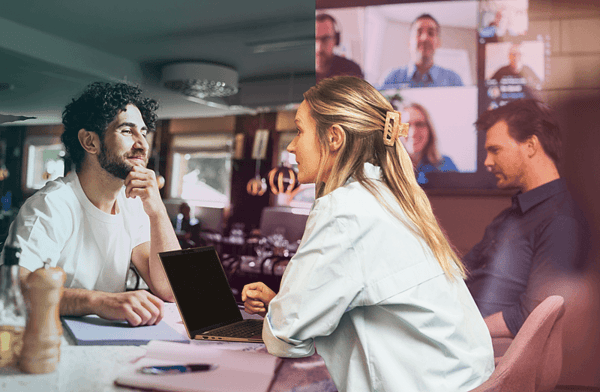
Why Live Meeting Assistant?
- Capture every detail without distractions
No need to take notes - record live meetings, customer calls or workplace discussions instantly. - Perfect for professionals on the go
Whether you're a salesperson, consultant, healthcare professional or tradesman - document meetings easily and securely from your mobile. - Improved documentation & compliance
Keep accurate records of customer requirements, project updates and work instructions. - Better customer service & project management
Quickly return to the recording to confirm details and avoid misunderstandings.
Integrate with your CRM






Here's what our customers love most...
No insights are lost
.png?width=180&height=188&name=Releasenotessvg%20(2).png)
Every meeting is recorded and documented in real time, so nothing is lost. You can go back at any time to listen again and pick out details you might otherwise miss. This gives you peace of mind and saves you the stress of taking your own notes.
Easier cooperation
.png?width=180&height=184&name=Chat_miteamsvg%20(1).png)
With one click, you can share the recording with the whole team. Even those who weren't there will have the same understanding of what was said, allowing work to continue without interruption. This strengthens team spirit and reduces the risk of misunderstandings.
Faster onboarding & training
.png?width=180&height=180&name=targetsvg%20(1).png)
New colleagues have the opportunity to hear real customer encounters first-hand, instead of just reading about procedures and processes. This makes learning more relevant and engaging. As a result, new employees become productive faster and more confident in their roles.
AI insights in seconds

After each meeting, the AI helps to automatically summarize the most important points. Decisions, action points and trends are highlighted in an instant. This way, you can focus on taking action - not on analyzing long transcripts.
.png?width=600&name=Computer_cardssvg%20(2).png)
1. Add participants
Start by entering the names and email addresses of all participants. This allows the meeting to be easily linked to the right people and the recording to be shared immediately afterwards.
2. Start the recording
When the meeting starts, tap Start Recording. The Live Meeting Assistant captures everything that's said - without you having to worry about taking notes.
3. Stop recording & save
When the meeting is over, you end the recording. Everything is automatically saved and available to you and your team.
.png?width=600&name=Releasenotessvg%20(2).png)
4. Get the transcription & summary

Hybrid meetings without barriers
In a hybrid work environment where some people attend onsite and others remotely, it's easy for information to get lost.
Live Meeting Assistant ensures that everyone has the same access to meeting content - no matter where they are. By automatically documenting and summarizing meetings, it creates a shared knowledge base that strengthens collaboration, reduces the risk of misunderstandings, and allows everyone to contribute on equal terms.
The result is smoother hybrid meetings and a more inclusive work culture.
For anyone who wants to capture every insight
Live Meeting Assistant is built for those who never want to risk losing important insights. Whatever your role, you'll have more time for what really matters - while technology captures the details for you. Here's how different professionals use it:
Salespeople & consultants
Project managers & construction professionals
Medical staff & field services

Customer service & support team

Managers & team leaders

Safe and responsible AI - fully GDPR compliant
Dstny Live Meeting Assistant is developed with security, privacy and compliance in mind.
The service complies with the EU AI Regulation, GDPR and international security standards such as ISO 27001 and SOC 2 Type II. You can find more information on the EU AI Regulation, GDPR and security here
Similar products
Call Assistant automatically captures, transcribes and summarizes all your calls - so you don't have to take notes, save time and get full control of every conversation, right in your CRM.
Dstny Meeting Assistant

Dsnty Copilot
